
WP Manga – Teams
$ 89
Manage Your Translators. Showcase Your Teams. Allow users to register a new team or join of team of translators. Greate for community builder!
Regular license
A regular license gives you access to the installation files and dedicated support for 1 year. After 1 year:
- You can continue to use this add-on on your site as long as you want
- You can transfer this add-on license to another site which you owns
- You cannot access to the new version released after your license's expired date
- Your dedicated support is expired
Bring Your Manga Translation Team Together.
Turn your manga website into a collaborative community where translators can build teams, manage memberships, showcase their manga, and grow together.
WP Manga Translators is a companion plugin for WP-Manga that introduces a complete Translator Group management system to your WordPress website. Create dedicated team pages,
organize translators, connect manga to their teams, and give your community a place to collaborate.
Designed for WP-Manga compatible websites, including Madara, Webtoons, and compatible child themes.
Everything Your Translation Community Needs
- Let translators create teams through a registration request system.
- Administrators can review applications and approve teams before they become available on your website.
Organized Membership Management
- Allow readers and translators to request membership, let team leaders approve new members, and manage leave requests.
- Built-in membership rules help keep team membership organized.
Dedicated Team Profiles
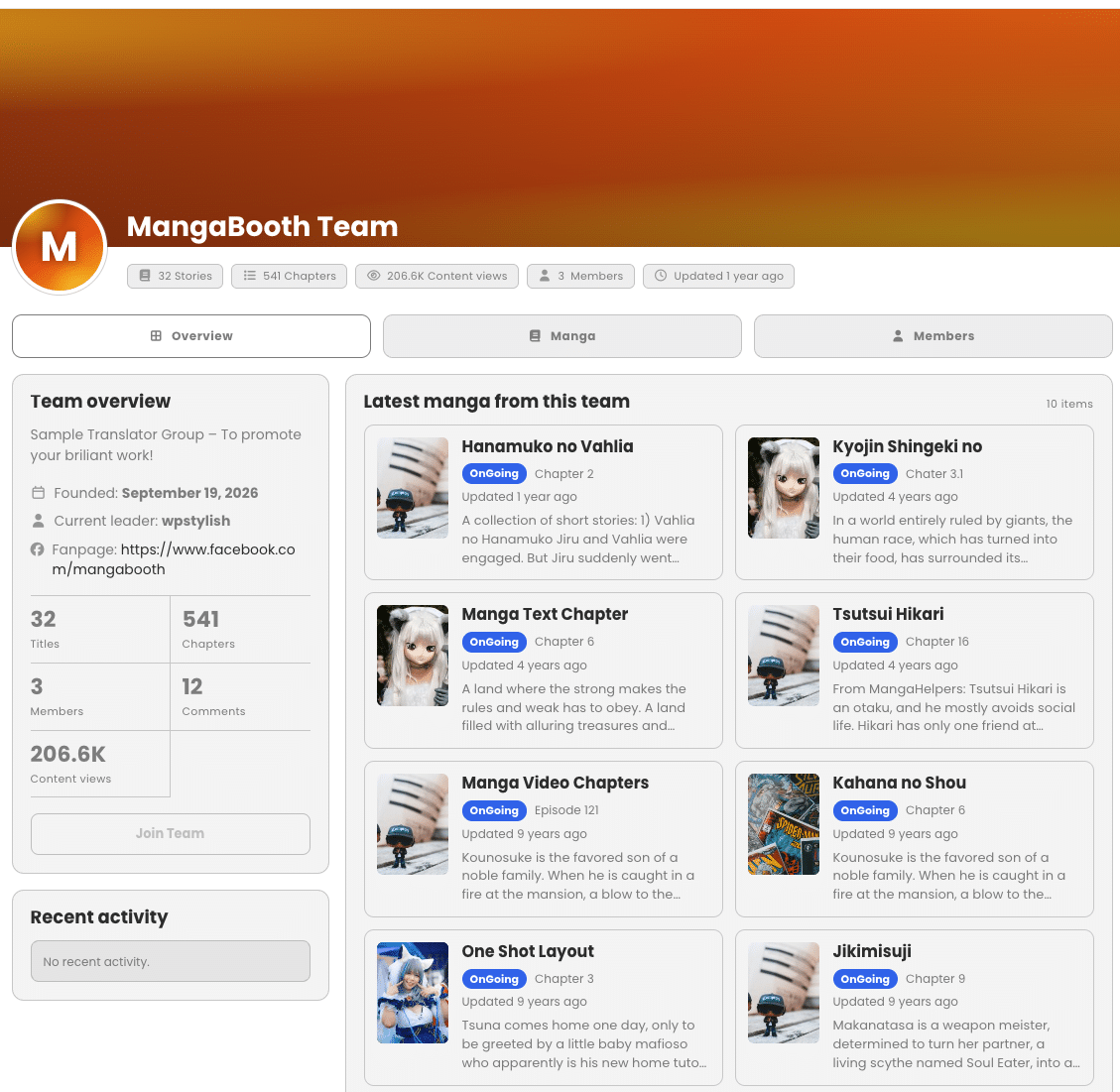
- Give every Translator Group its own profile page with a customizable avatar, cover banner, team description, leader information, social links, member list, statistics, manga catalog, and recent activity.
- Associate manga with the teams of their authors.
- Display team manga catalogs, latest releases, and Translator Team information on manga detail pages.
Automatic Statistics and Activity Tracking
- Track team stories, chapters, content views, and members.
- Supported publishing, chapter insertion, and view events update relevant team statistics without requiring a manual synchronization every time.
Powerful Features for Site Owners and Translators
- Create and manage Translator Groups directly from WordPress admin.
- Customize team names, descriptions, avatars, and cover banners.
- Configure team URL slugs to match your website structure.
- Set Facebook/Fanpage and Discord links for each team.
- Display dedicated team profile pages with organized information.
- Use attractive gradient backgrounds when team images are missing.
Team Registration and Approval
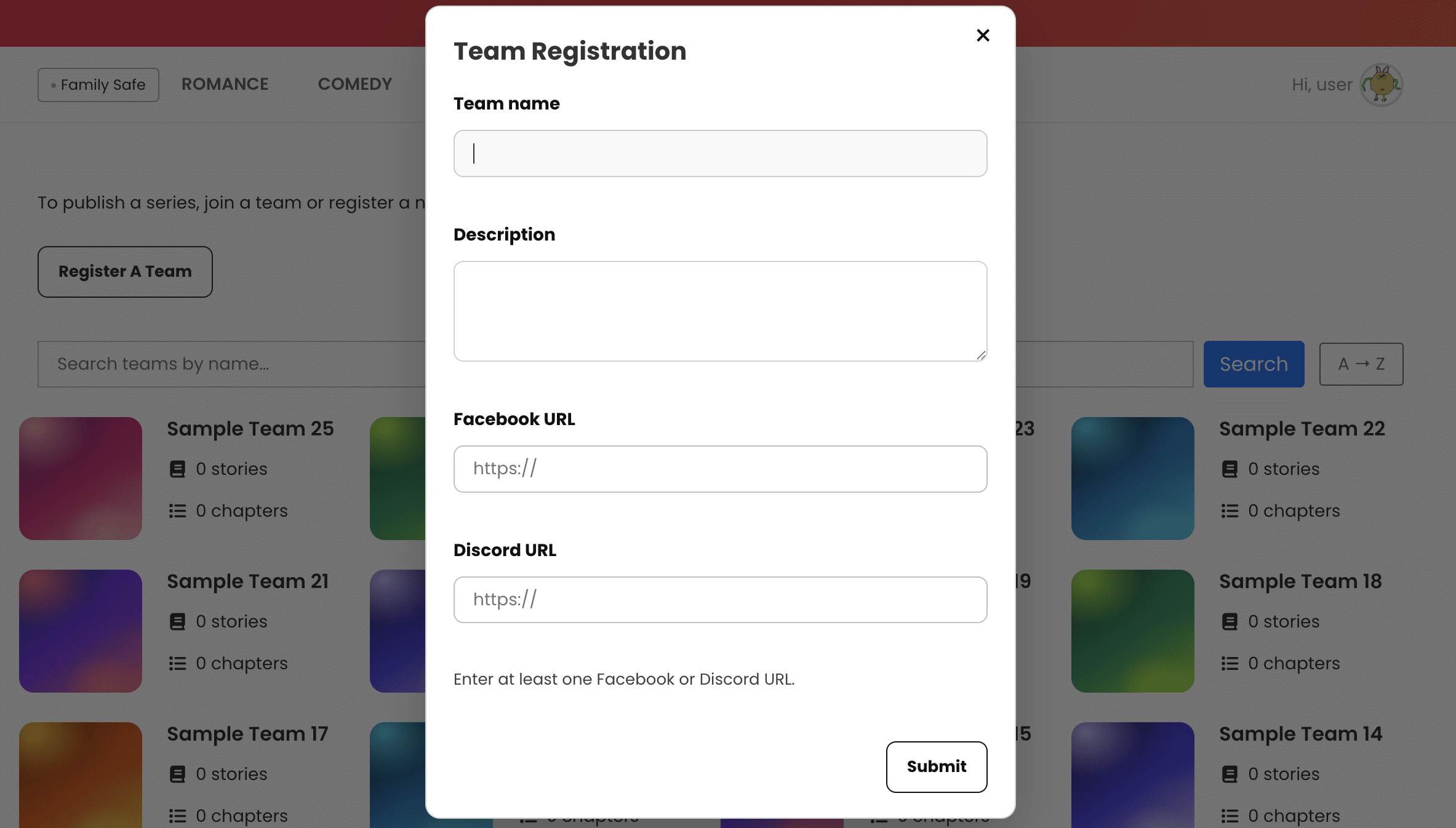
- Allow eligible users to submit team registration requests.
- Collect team name, description, Facebook URL, and Discord URL.
- Require at least one Facebook or Discord URL in the registration form.
- Keep registrations pending until an administrator reviews them.
- Approve or reject registration requests from WordPress admin.
- Automatically create the Translator Group when a registration is approved.
- Assign the requester as the new team’s leader.
- Review rejected registration requests in a dedicated admin view.
- Configure approval and rejection email notifications.
Membership Requests and Team Roles
- Allow logged-in users to request to join a Translator Group.
- Allow users to cancel their own pending join requests.
- Let team creators approve pending requests from the frontend.
- Allow administrators to review and approve join requests.
- Automatically recognize the team creator as a member and leader.
- Enforce the rule that a user can belong to only one team at a time.
- Prevent joining another team while an existing membership or conflicting pending request applies.
- Allow non-leader members to request to leave their team.
- Allow members to cancel their pending leave requests.
- Let team leaders and administrators complete member removals.
Team Profile Editing
- Give team creators access to a dedicated frontend profile editor.
- Edit team name and description.
- Upload or change the team avatar and cover banner.
- Update Facebook/Fanpage and Discord URLs.
- Restrict team profile editing to the team creator.
- Display saved team information on the public team page.
Team Manga Catalog
- Associate manga with Translator Groups based on author membership.
- Support associations with multiple teams when applicable.
- Display the latest manga on the team overview page.
- Provide a dedicated Manga tab with pagination.
- Display manga covers, status, latest chapters, and related information.
- Show linked Translator Team names on manga detail pages.
- Use WP-Manga’s existing manga query functionality.
Team Statistics and Recent Activity
- Display the number of stories associated with a team.
- Track the team’s chapter count.
- Display combined Content views statistics.
- Show the current number of team members.
- Automatically update supported statistics when manga is published.
- Update chapter statistics when a chapter is inserted.
- Update content views when associated manga receives views.
- Display the latest 10 team activity records.
- Record supported manga and chapter publishing activities.
Administrator Tools
- Review join requests, team registrations, and leave requests.
- Assign users to teams from the WordPress user edit screen.
- Remove eligible members and add administrative notes.
- View membership logs, including requests, approvals, and removals.
- Run Sync Data to associate published manga with teams.
Simple Shortcodes, Flexible Placement
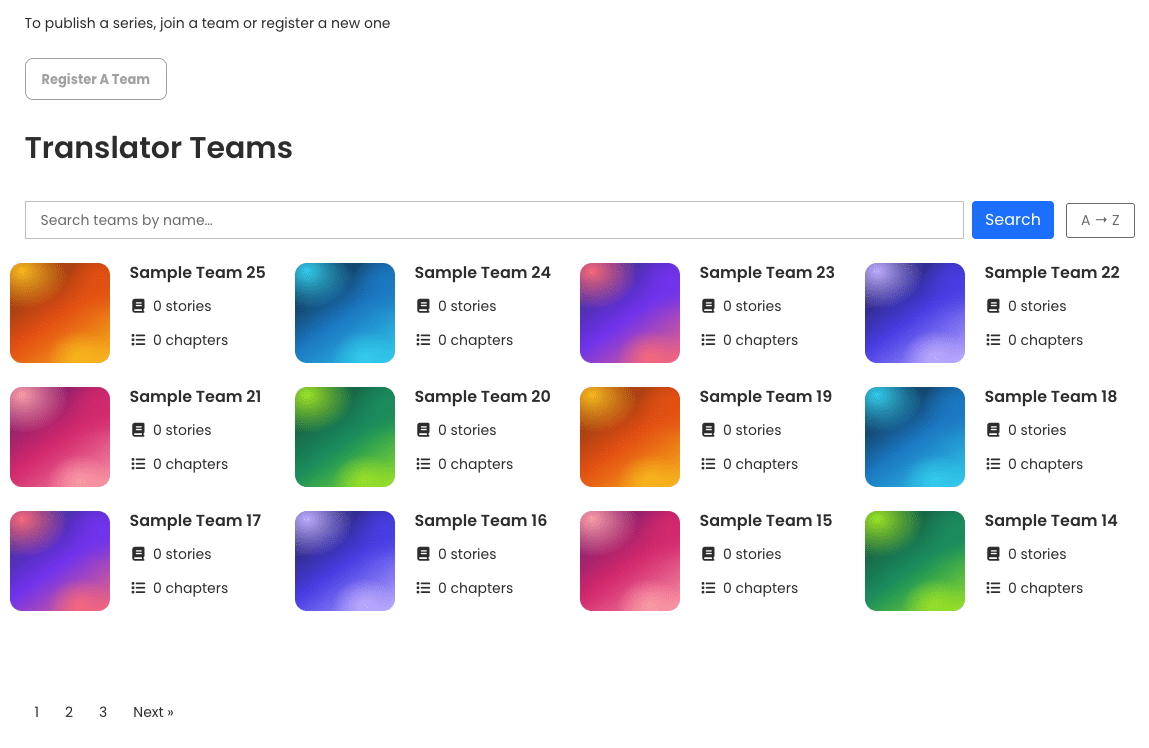
Add team discovery and registration functionality to your WordPress pages using two convenient shortcodes.
Display Translator Groups
[manga_teams]Customize the listing with shortcode attributes:
[manga_teams per_page="18" columns="3"]Display a limited number of teams:
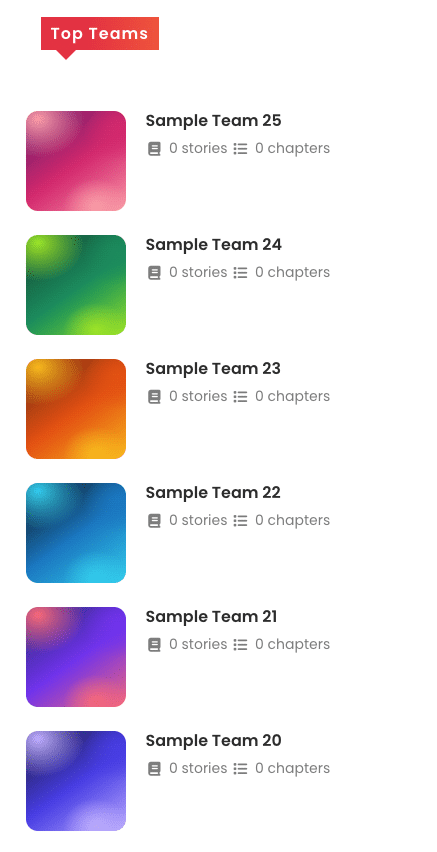
[manga_teams top="5"]Sort teams by content views:
[manga_teams sort="mostviews" top="10"]Allow Users to Register a Team
Place this shortcode on a page to display the Register A Team button for eligible users:
[manga_register_team]Ready to Organize Your Manga Translation Community?
Give translators a dedicated place to build teams, connect their manga, manage memberships, and showcase their work.
WP Manga Translators brings team management and manga discovery together in one WP-Manga companion plugin.
Build your teams. Showcase your stories. Grow your community.
You must be logged in to post a review.
- #Version 1.0 - 19.09.2026
- First release
You may also like…
-

WP Manga Member Upload PRO
$ 119 BUY PRODUCTAllow members to submit their own manga. It's suitable when you have different translator teams or solo artists who can upload their work from front-end. When combine with other membership plugin, you can limit the right to upload easily.
There are no reviews yet.