
WP-Manga App API
Original price was: $ 299.$ 199Current price is: $ 199.
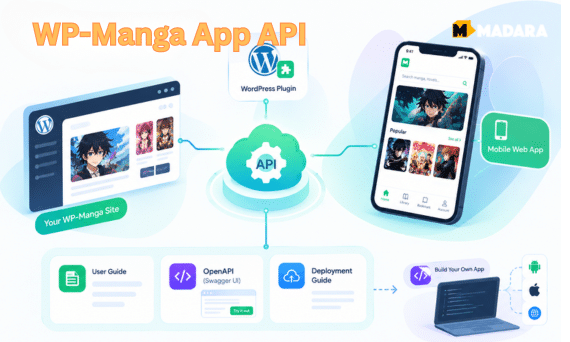
WP Manga – App API brings your WP-Manga site to mobile. The package includes the WordPress plugin, a pre-made Mobile Web App, and full documentation: a User Guide, an OpenAPI spec with Swagger UI, and a Deployment Guide. Readers can search and filter manga, read image and novel chapters, sign in, and keep their bookmarks and reading history in step with your website. Paid chapters stay locked through WP Manga Chapter Coin.
Regular license
A regular license gives you access to the installation files and dedicated support for 1 year. After 1 year:
- You can continue to use this add-on on your site as long as you want
- You can transfer this add-on license to another site which you owns
- You cannot access to the new version released after your license's expired date
- Your dedicated support is expired
Turn your WP-Manga site into a mobile reading app
WP Manga – App API gives your manga site a complete, secure REST API and a ready-to-deploy Mobile Web App. Your readers browse, read, bookmark, comment, and rate on their phones, while WordPress and WP-Manga stay your single backend. No data migration, no second admin panel.
Launch an app today, or build your own
Use the pre-made Web App to go mobile right away, or use the documented API as the backend for your own reader app on any platform.
WP-Manga site owners
Give your readers an app-like experience without hiring a team.
- Deploy the pre-made Mobile Web App by following the Deployment Guide
- Send mobile visitors to the Web App automatically with Mobile Redirection
- Control the app logo, announcements, and home banners from wp-admin
- Keep selling premium chapters with WP Manga Chapter Coin
- Works with the Madara theme, or any theme WP-Manga supports
App developers & agencies
Skip the backend. Build your client on a clean, documented, production-ready API.
- JSON REST API under
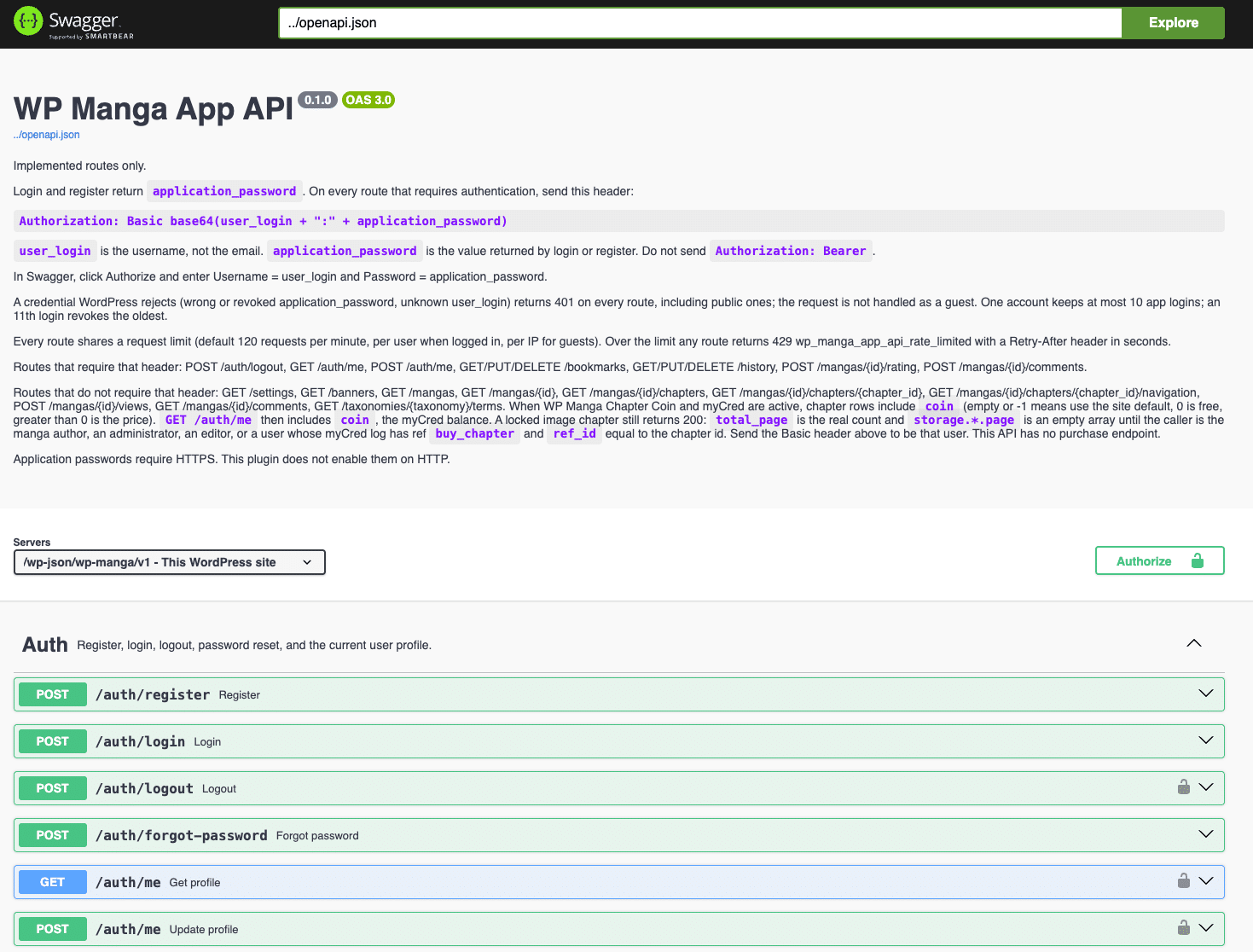
/wp-json/wp-manga/v1/ - OpenAPI 3 spec: generate SDKs, import into Postman, test in Swagger UI
- Standard HTTP Basic auth with WordPress application passwords
- Works with any client: Flutter, React Native, Swift, Kotlin, React, Vue
- Filters and actions to extend every response from a companion plugin
Everything you need to go mobile
One purchase includes the WordPress plugin, the pre-made Web App, and complete documentation for administrators, developers, and whoever deploys the app.
WP Manga – App API
Adds the REST API to your WP-Manga site, plus app settings, Mobile Redirection, System Logs, response caching, and built-in abuse protection.
Pre-made Mobile Web App
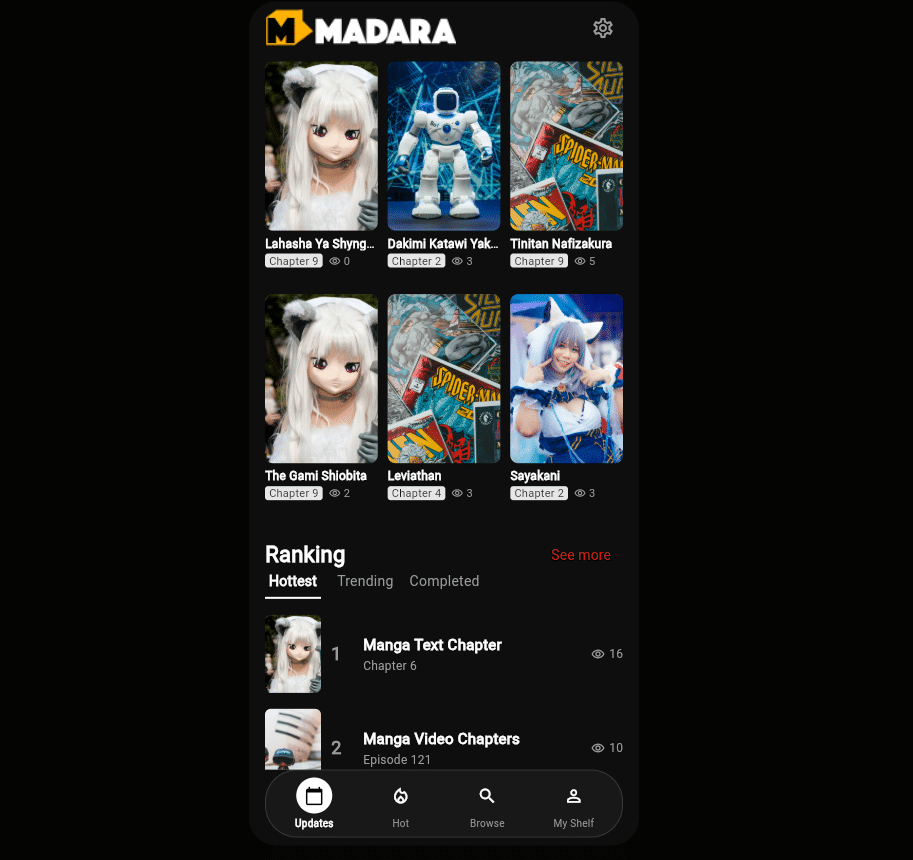
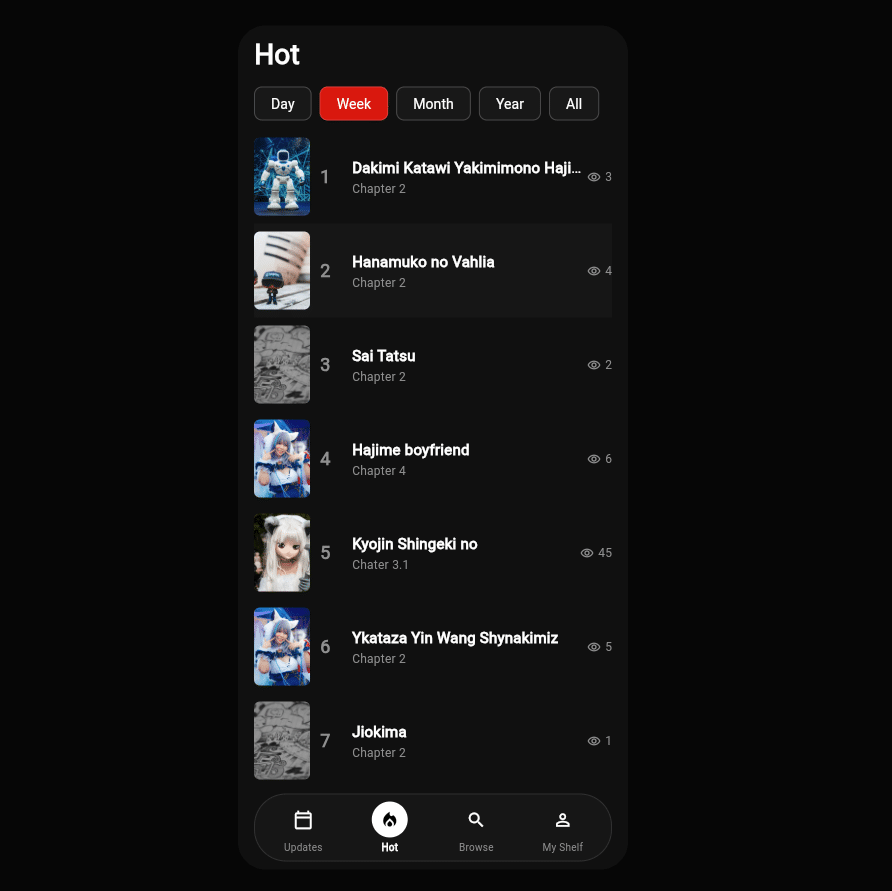
A mobile manga reader connected to your site through the API. Deploy it to your own domain or subdomain, then point Mobile Redirection to it.
Four documentation sets
- User Guide: setup, settings, logs, troubleshooting
- OpenAPI spec + Swagger UI: try every route in the browser
- API reference: every route with request and response examples
- Deployment Guide: put the Web App online, step by step
The features that matter most
Everything a manga reader app needs, connected to the content and accounts already on your WP-Manga site.
A complete reading API, built on WP-Manga
Manga lists, search, details, chapters, reading, accounts, bookmarks, history, ratings, comments, and taxonomy terms: 24 endpoints in one namespace. The API calls WP-Manga’s own query functions instead of duplicating them, so the app shows exactly what your website shows, and fields that WP-Manga or other add-ons add appear in the API automatically.
Pre-made Mobile Web App
Get a mobile reader without writing code. Deploy it with the Deployment Guide and connect it to your site with the API base URL.
Read image and novel chapters
Image chapters return their page list straight from your storage setup. Text (novel) chapters return the full content. Previous and next chapter navigation follows WP-Manga’s volume order.
Accounts that sync with the website
Readers register, log in, reset their password, and edit their profile in the app. Bookmarks, reading history, and reading style are the same on the website and in the app.
Premium chapters stay protected
With WP Manga Chapter Coin and myCred, the app shows chapter prices and the user’s coin balance. Locked image and novel chapters return no pages or text until the reader has bought them.
Mobile Redirection
Enter your Web App URL once and mobile visitors are sent there automatically. wp-admin, login, AJAX, and the API are never redirected, and a Web App hosted on the same site never loops.
Manage the app from wp-admin
Set the app logo, publish a site message such as a maintenance notice, and manage home banners with web links or app deep links like myapp://manga/12. Changes show up in the app on its next request.
Secure and fast by default
Per-user and per-IP rate limits, brute-force protection on login, a 10-minute response cache, comment privacy, and Cloudflare-aware IP detection. All of it is on without extra configuration.
Everything else included
Discovery & search
- Keyword search across your manga
- Filter by genre, tag, author, artist, release year, status, and chapter type
- Sort by latest, trending (day, week, month, year, all time), views, A–Z, rating, bookmarks, new, or random
- Pagination up to 50 manga per page
- Optional latest chapters on every list item
- Optional first-chapter preview to hook new readers
- Genre, tag, author, artist, and release-year lists
Manga details
- Cover image and profile background
- Status, alternative names, type, and release year
- Authors, artists, genres, and tags
- Rating, vote count, total views, and chapter count
- View counter, with repeated views ignored
Chapters
- Volume tree with pagination, or a flat list
- Search, sort, and filter chapters by volume or status
- Chapter thumbnails from WP Manga Chapter Thumbnail
- Image and text (novel) chapter reading
- Previous and next chapter navigation
- Chapter coin price when Chapter Coin is active
Reader accounts
- Register, log in, log out, and forgot password
- Edit display name, email, password, and reading style
- Bookmarks: list, add, remove
- Reading history: list, update, remove
- Coin balance in the profile with Chapter Coin and myCred
- Up to 10 devices per account; the oldest login is revoked first
Community
- Star ratings for logged-in readers
- Manga comments and per-chapter comments
- Threaded replies
- Only approved comments are shown
- Commenter email, IP address, and browser are never exposed
- Follows your WP-Manga settings for bookmarks, rating, comments, and views
Admin & operations
- Settings screen with General and Application Settings tabs
- System Logs with filters by type and date, plus a full request and response view
- Logging modes: Disabled, Log Server Errors, Log All Requests
- Automatic log clean-up after the number of days you choose
- Passwords are always redacted in logs
- 10-minute response cache, kept separately for each user
Security & protection
- API request limit per user or IP (default 120 per minute)
- Extra limits on login, registration, and password reset
- Password reset never reveals whether an account exists
- Caps on request sizes to stop expensive queries
- Unknown parameters cannot bypass the cache
- HTTP 429 responses include a
Retry-Afterheader
Hosting compatibility
- Real visitor IP behind Cloudflare and load balancers
- Trusted proxy list with IPv4, IPv6, and CIDR ranges
- Works with themes that block the REST API for guests
- Security plugin blocks are still respected
- The Madara theme is not required
Developer extensibility
- Filters for manga, chapters, reading content, profile, settings, and banners
- Actions on plugin load, register, login, and logout
- Existing WP-Manga filters also apply to the API
- Add your own app settings to
GET /settings - No JWT library: uses WordPress core authentication
A backend your app can rely on
Plain JSON over HTTPS with standard authentication. Log in once, store the application password, and send it with each request. The OpenAPI 3 spec describes every route, parameter, and response.
- Swagger UI included: try every endpoint from your browser
- Import
openapi.jsoninto Postman or generate a typed SDK - Clear HTTP status codes: 401, 403, 404, 429
- Responses keep WP-Manga’s own field names, so there is no extra mapping layer
# 1. Log in once
POST /wp-json/wp-manga/v1/auth/login
{ "login": "reader", "password": "••••••" }
# 2. Send the app password on later calls
Authorization: Basic base64(user:app_password)
# 3. Browse and read
GET  /mangas?orderby=trending&genre=action
GET  /mangas/42/chapters
GET  /mangas/42/chapters/1337
PUT  /bookmarks
| Area | Endpoints | Access |
|---|---|---|
| Account | /auth/register /auth/login /auth/logout /auth/forgot-password /auth/me |
Guest Login |
| Manga | GET /mangas GET /mangas/{id} POST /mangas/{id}/views |
Guest |
| Chapters | GET /mangas/{id}/chapters GET /mangas/{id}/chapters/{chapter_id} GET …/navigation |
Guest |
| Library | /bookmarks /history (list, add, remove) |
Login |
| Community | POST /mangas/{id}/rating GET|POST /mangas/{id}/comments |
Guest Login |
| Terms | GET /taxonomies/{taxonomy}/terms |
Guest |
| App settings | GET /settings GET /banners |
Guest |
Want your own app on the App Store and Google Play?
The Web App gets you mobile right away. If you want a native iOS and Android app with your brand, your store listing, and features made for your community, the MangaBooth team can build it on top of this API.
- iOS (App Store)
- Android (Google Play)
- Your branding and store listing
- Custom features on request
What you need
Frequently asked questions
Do I need the Madara theme?
No. The plugin works with any theme that WP-Manga supports. It only needs WP-Manga to be active.
Will my existing manga, chapters, and users work in the app?
Yes. The API reads directly from WP-Manga, so your manga, chapters, storage, users, bookmarks, and reading history are available right away. Nothing is copied or migrated.
Can I build my own app instead of using the Web App?
Yes. The API is documented with an OpenAPI 3 spec, Swagger UI, and an API reference. Any client that can send HTTPS requests and read JSON can use it: Flutter, React Native, native iOS and Android, or a web framework.
Do premium (coin) chapters stay protected in the app?
Yes. When WP Manga Chapter Coin and myCred are active, locked image and novel chapters return no pages or text until the reader has bought them. Readers buy chapters on the website. The app shows the price, the balance, and whether each chapter is locked.
Will the API slow down my site?
Successful responses are cached for 10 minutes, request sizes are capped, and each user or IP has a request limit you can adjust. System Logs help you spot errors early.
My site is behind Cloudflare. Is that supported?
Yes. Choose the Cloudflare or X-Forwarded-For header and add your proxy IP ranges, so rate limits and logs see each visitor’s real IP address.
What is not included in version 1.0?
Avatar upload, video chapter playback, buying chapters with coins inside the app, and Madara Customizer options are not part of version 1.0.
Can you build a native App Store or Google Play app for me?
Yes. Contact the MangaBooth team with your requirements and we will send you a quote.
Give your readers the app they have been asking for
Plugin, pre-made Web App, and full documentation in one package, from the team behind WP-Manga and Madara.
You must be logged in to post a review.
1.0.0 - 10.10.2026
- New - First release. REST API for a mobile manga reading app, under /wp-json/wp-manga/v1/. Requires WP Manga
- New - Auth routes: register, login, logout, forgot password, view and update profile. Login uses WordPress application passwords (HTTP Basic auth), no extra library
- New - Manga list and search: keyword, genre, tag, author, artist, release year, status, chapter type, sort (latest, trending, views, alphabet, rating, bookmarks, new, random), paging. Optional latest chapters and first-chapter preview on each item
- New - Manga detail: cover, background, status, alternative name, type, release, authors, artists, genres, tags, rating, votes, views, chapter count
- New - Chapter list: volume tree with paging, or a filtered list (search, sort, volume, status). Chapter thumbnails from WP Manga Chapter Thumbnail are included
- New - Chapter reading for image and text (novel) chapters, plus next/previous chapter navigation
- New - Bookmarks and reading history for logged-in users (list, add, remove)
- New - Manga rating and comments (manga and chapter comments, threaded replies)
- New - Taxonomy terms: genres, tags, authors, artists, release years
- New - Manga and chapter view counter
- New - Support WP Manga Chapter Coin + myCred: coin balance on the profile, coin price on chapters, locked chapters return no images or text until the user has bought them
- New - App settings: Mobile App Logo, Site Message and Home Banners (WP Manga App API > Settings > Application Settings), returned by GET /settings and GET /banners
- New - Mobile Redirection: send visitors on a mobile browser to the Mobile Web App URL
- New - System Logs screen with filters by type and date. Logging setting: Disabled / Log Server Errors / Log All Requests. Logs are deleted after N days (default 30). Passwords are never stored
- New - GET responses are cached for 10 minutes (per user). Settings and banners are not cached
- New - API request limit per user or per IP (default 120 requests per minute, 0 to turn off). Extra requests get HTTP 429 with a Retry-After header
- New - Client IP header and Trusted proxies settings, so rate limits and logs see the real visitor IP behind Cloudflare or a load balancer
- New - Swagger UI (docs/index.html), OpenAPI spec (openapi.json), API.md and User Guide (docs/user-guide.html)
- Security - Comments: only approved comments are returned. Author email, IP and browser are never returned
- Security - Extra limits on login (20 failed logins per IP per 15 minutes), register (5 accounts per IP per hour) and forgot password (10 requests per IP per hour, 3 emails per account per hour)
- Security - Views are counted once per user or IP per manga and chapter per hour
- Security - Upper limits on chapters, latest chapters and comments per request (at most 100 chapters, 10 latest chapters, 100 comments)
- Security - Unknown query parameters cannot bypass the response cache
- Security - Themes that block the WordPress REST API for guests do not block the App API. Blocks from security plugins are kept, and a wrong or revoked app login gets HTTP 401
- Security - At most 10 app logins per account. Logging in again revokes the oldest one
There are no reviews yet.